Sample Order for Shopware 6
Let customers collect samples in a separate cart and order them with dedicated payment and shipping methods, while their regular cart stays unchanged.
Storefront demo · Admin demo (demo / demo) · Store listing
Requirements
Shopware 6.7.15.1 through 6.7.x with the Storefront, on PHP 8.2 or newer. No external services, fonts or tracking are added.
Installation
- Upload the ZIP under Extensions → My extensions → Upload extension, or unpack it into
custom/plugins/and runbin/console plugin:refresh. - Install and activate Sample Order.
- Rebuild assets, clear caches and compile the active theme:
bin/console assets:install
bin/console theme:compile
bin/console cache:clear
Setup
Activation creates and enables a Sample Order Payment method, a Sample Order Shipping method and a Sample order cart availability rule.
- Open Settings → Sales Channels or the sales channel itself, and add both sample methods to each participating sales channel. Keep your standard methods as the defaults.
- In Settings → Shipping, review the sample method's prices, currencies, delivery time and translated description. It starts with a free EUR price entry and a 1–3 day delivery time.
Sample controls appear only in sales channels where both sample methods are active and assigned.
What customers see
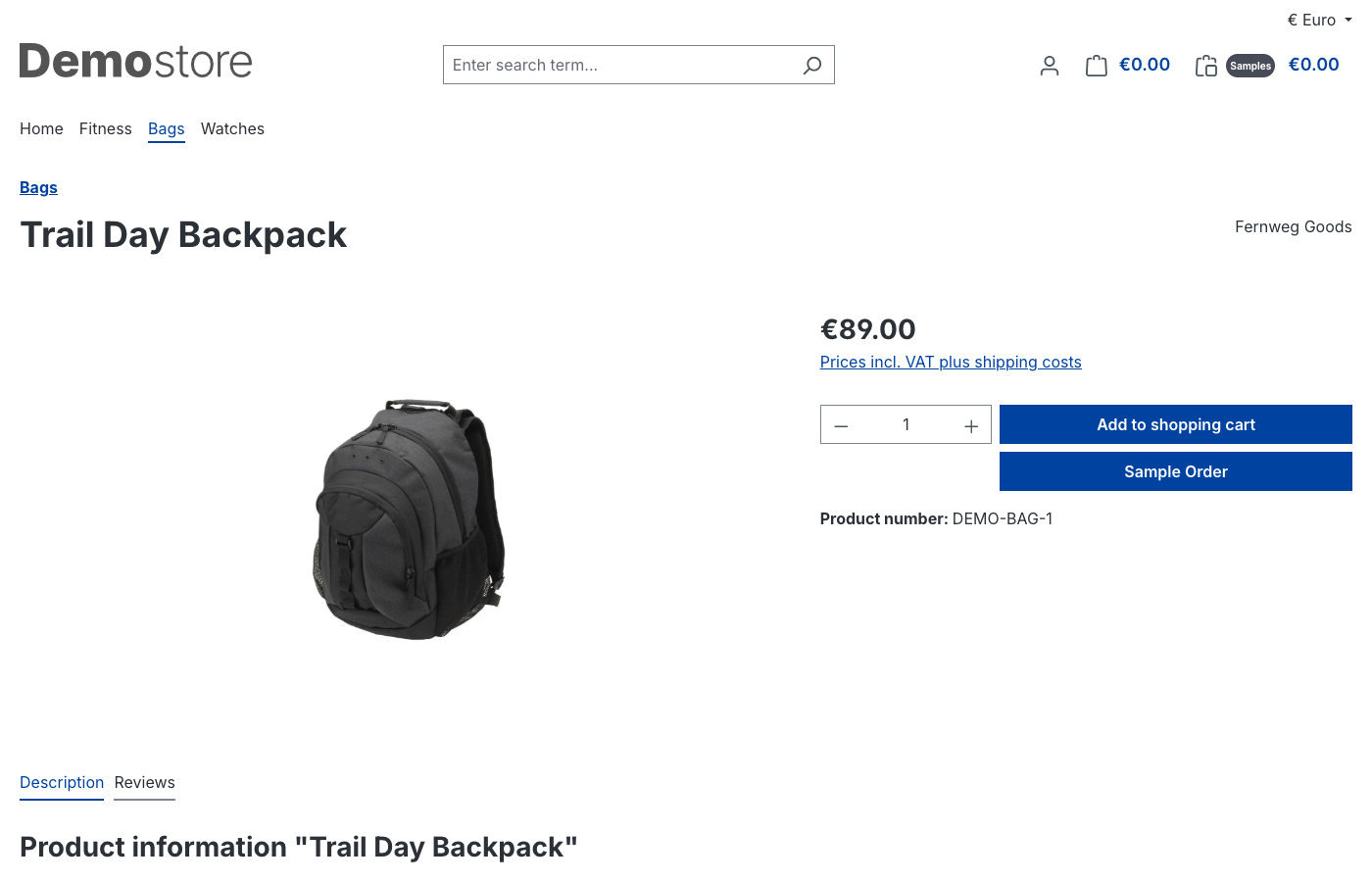
Purchasable product pages show a Sample Order button next to the regular buy button.
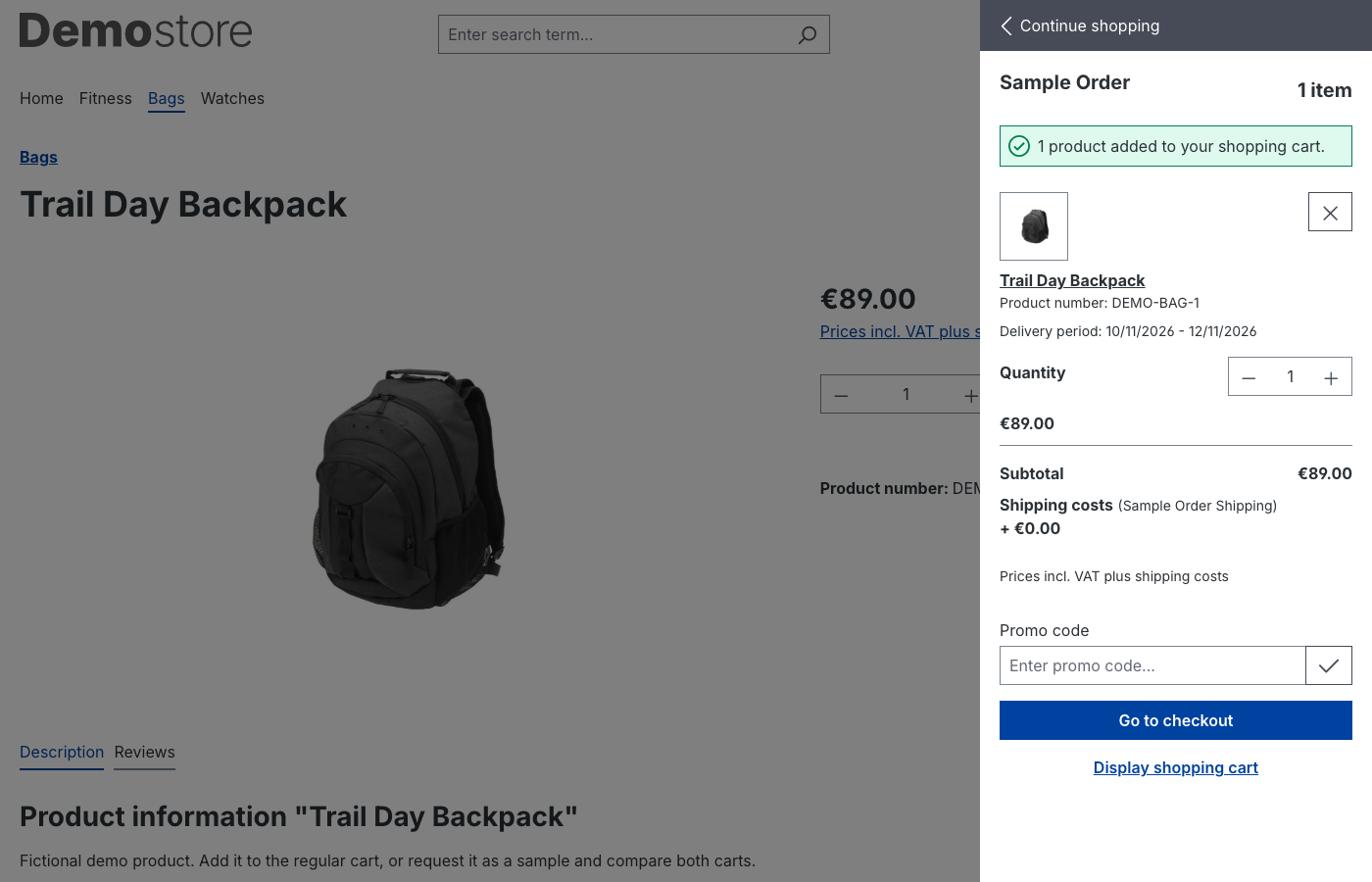
Samples go to a separate offcanvas cart with its own indicator in the header. The regular cart stays available and unchanged.
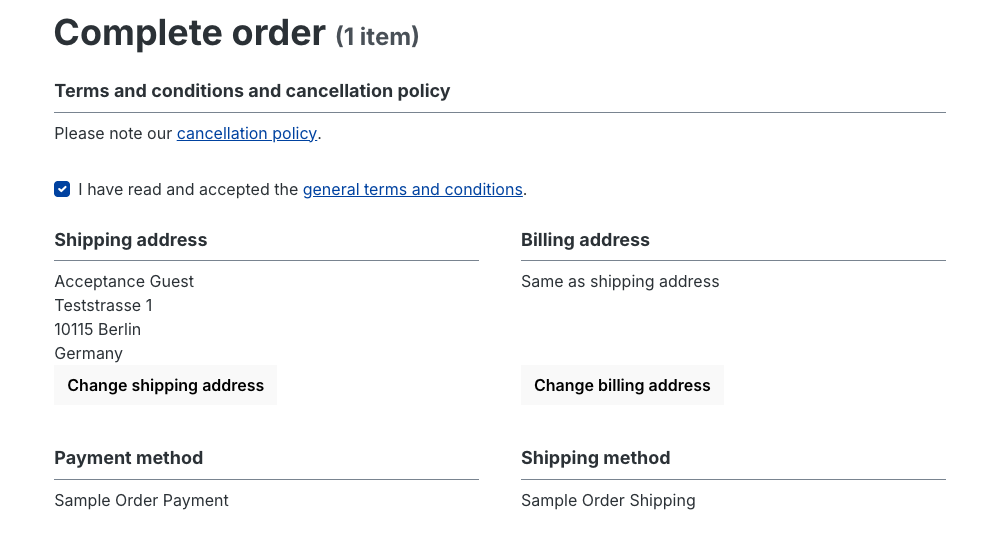
Guests and registered customers use the standard checkout with the sample methods. A guest's sample cart follows them through login or registration.
Handling sample orders
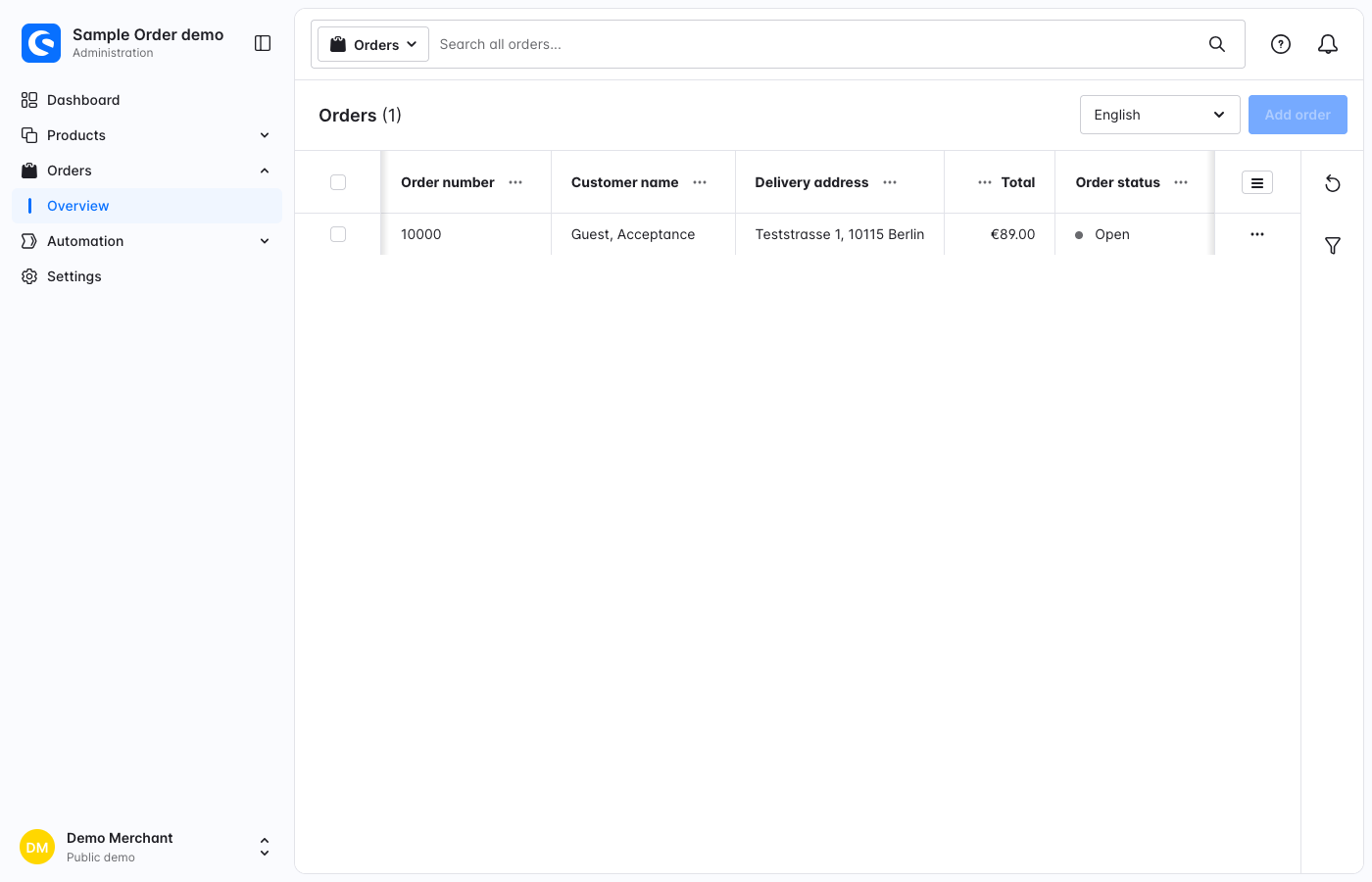
Sample orders appear in the standard order list. The supplied payment method does not collect money through a payment provider: it leaves the transaction open for manual processing.
A Sample order cart rule condition identifies sample carts, and Flow Builder offers a Sample order created event.
Pricing and scope
- Product prices, stock checks and quantity rules remain those configured in your shop. Samples are not automatically free or discounted.
- The button is available for all purchasable products. Individual product eligibility is not configurable.
- Sample orders are standard orders with real product totals and an open payment, so they count in sales reports and exports. They can be identified by the Sample Order payment and shipping methods.
- Storefront texts are included in English and German.
Deactivation and removal
Deactivating or uninstalling turns the sample methods off and keeps historical orders. Complete deletion, without keeping user data, also removes the generated availability rule.
Troubleshooting
The Sample Order button does not appear. Check that both sample methods are active and assigned to the sales channel, that the product is purchasable, and that the theme was compiled after activation.
A sample cannot be shipped to a country or in a currency. Review the prices and availability of the sample shipping method.